
Custom Decals for Bose A20
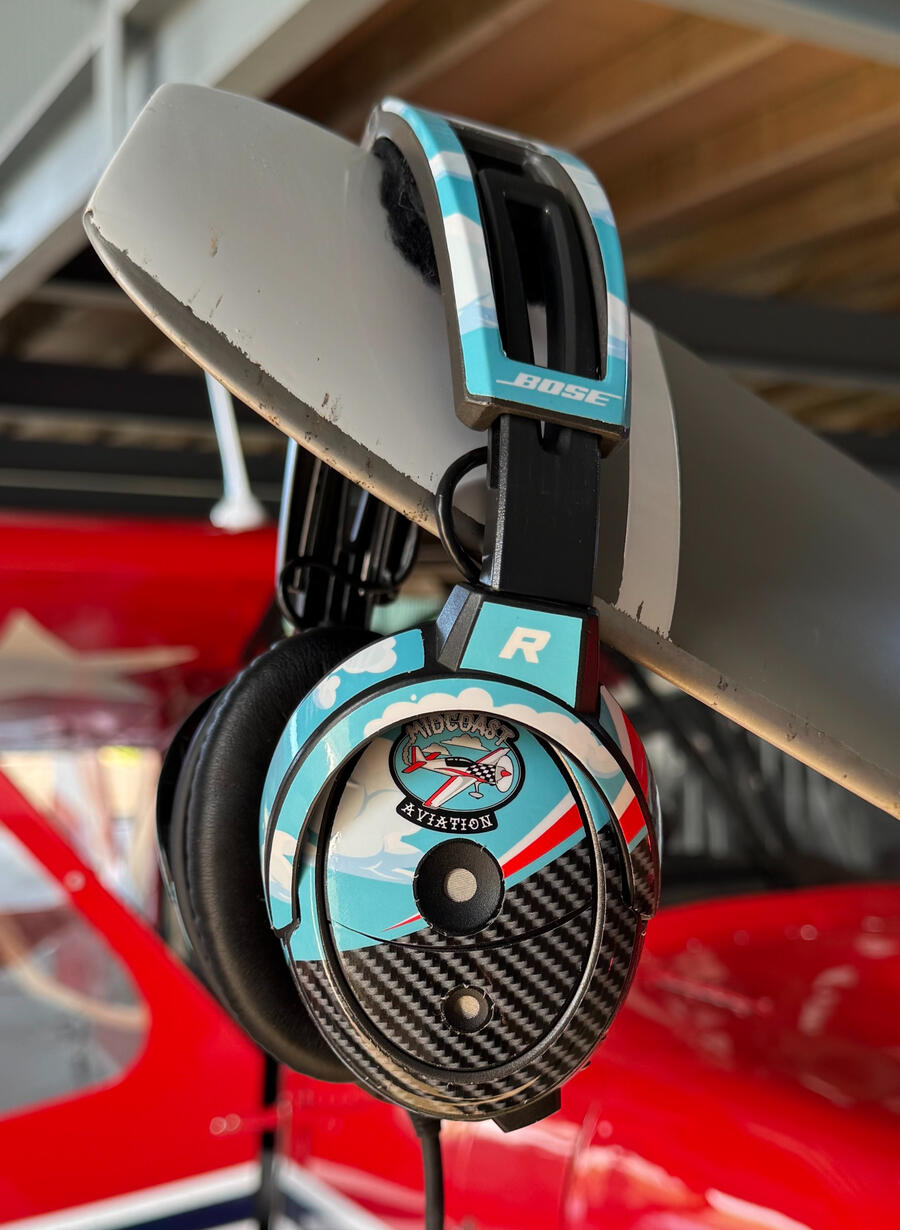
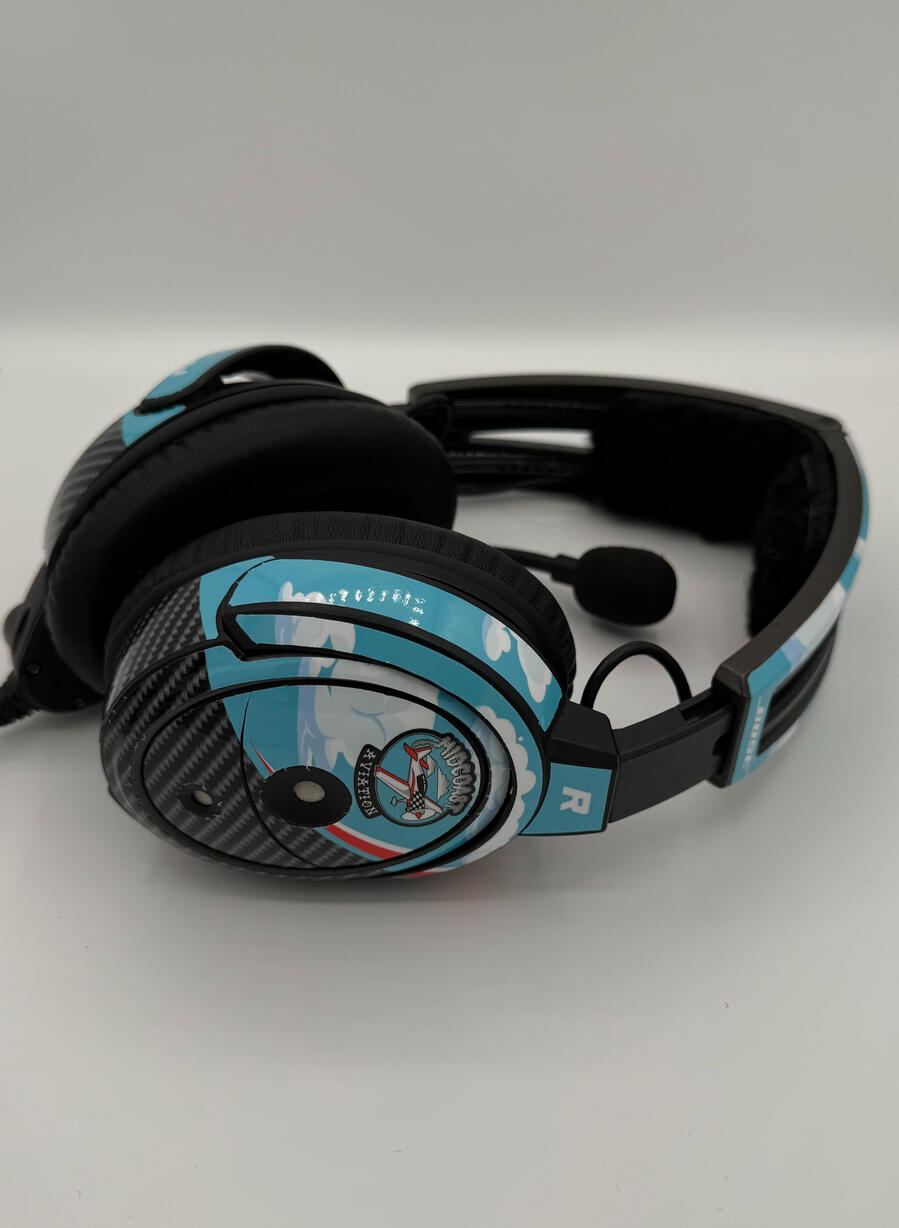
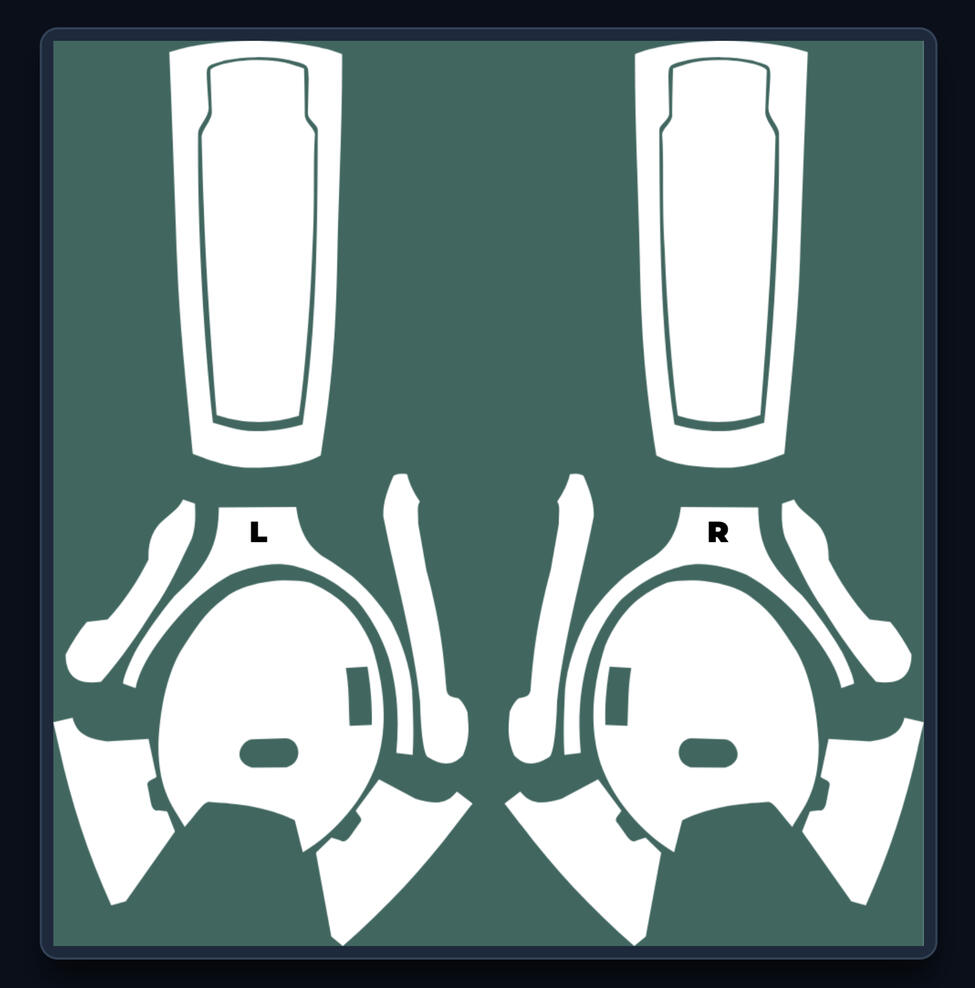
Premium, precision-cut headset decals built for the cockpit. Customize your own design instantly and route it directly to our print facility.
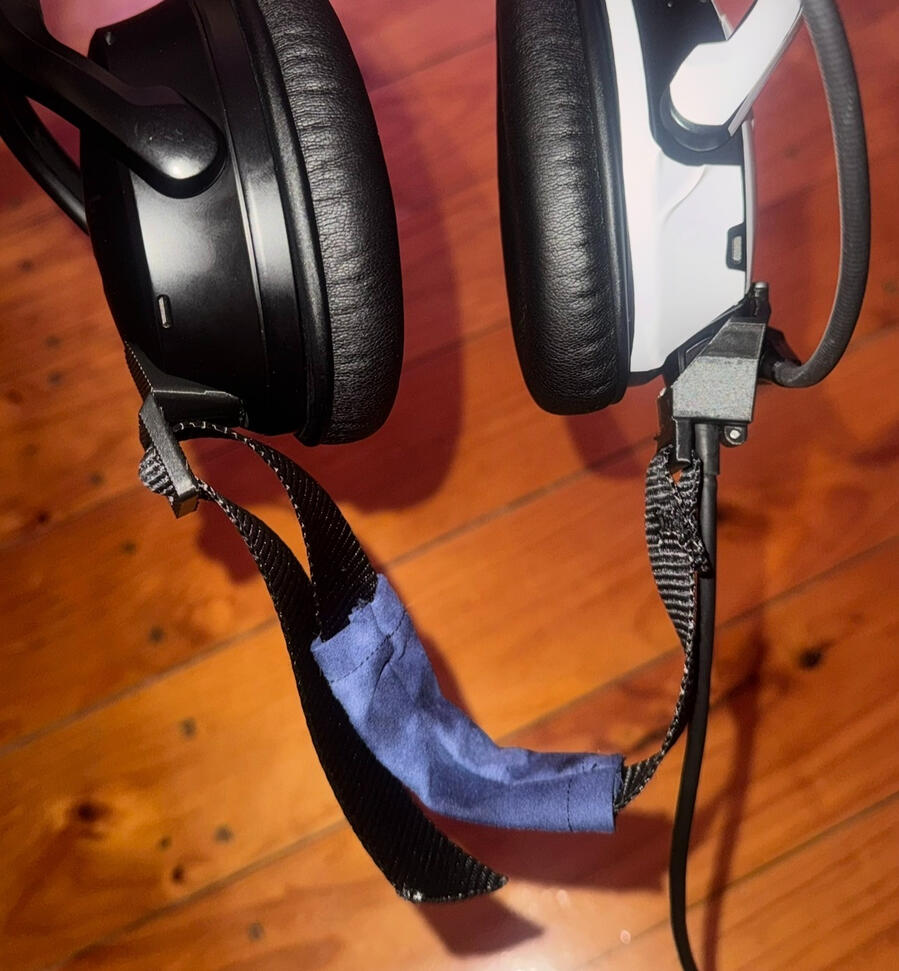
Chin strap for Bose A20
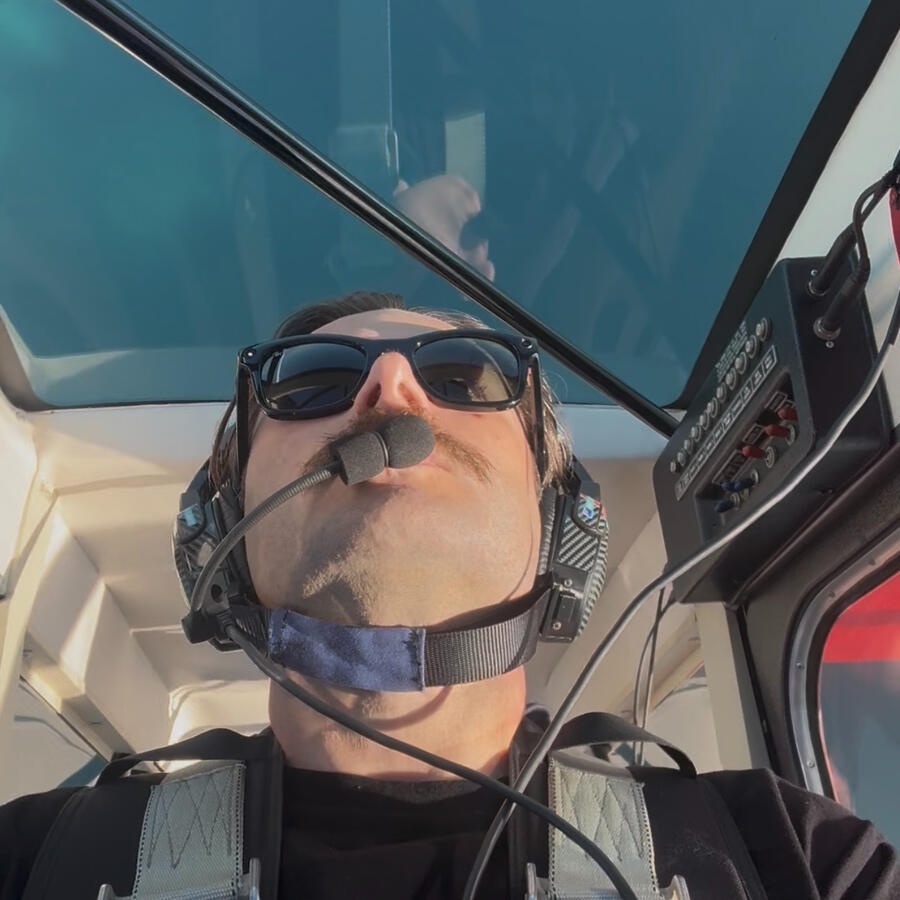
Cockpit-tested design built to perform under aerobatic conditions.
The Hangar (Coming Soon)
We are currently flight-testing a new lineup of cockpit-grade gear and merch. Check back soon or follow our socials for the official drop.
A30 accessories
Due to popular demand, A30 Decals and chin straps are in development. Stay tuned for the drop.
The Pilot Briefing app
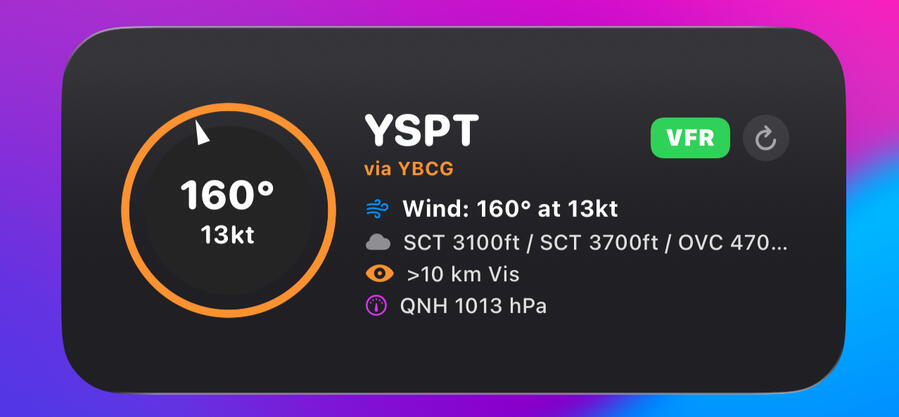
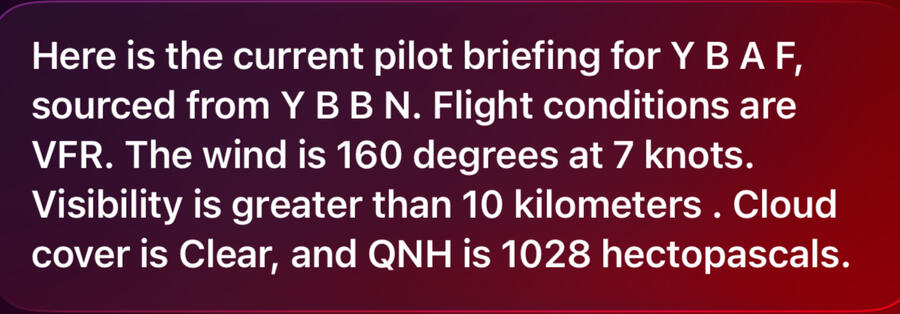
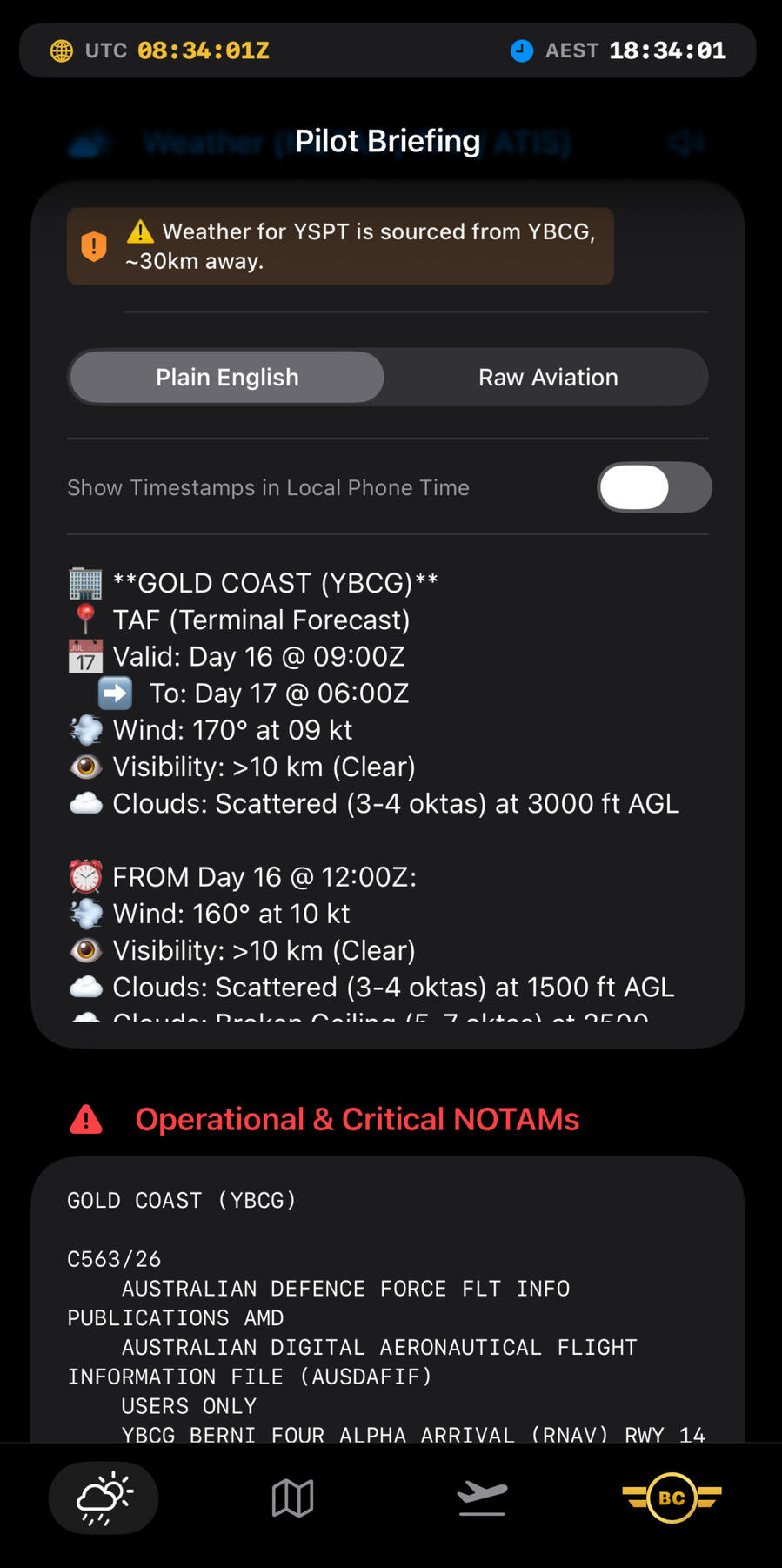
Coming soon for iOS, an app dedicated to giving you the weather briefing you need for flying within Australia, instantly. You can even ask siri "Give me the Pilot Briefing" to have it read to you.
Midcoast Aviation Support
Proudly designed, printed, and operated in South Australia. Whether you need support with the Design Studio or want to request a bulk order for your fleet, send us a transmission.
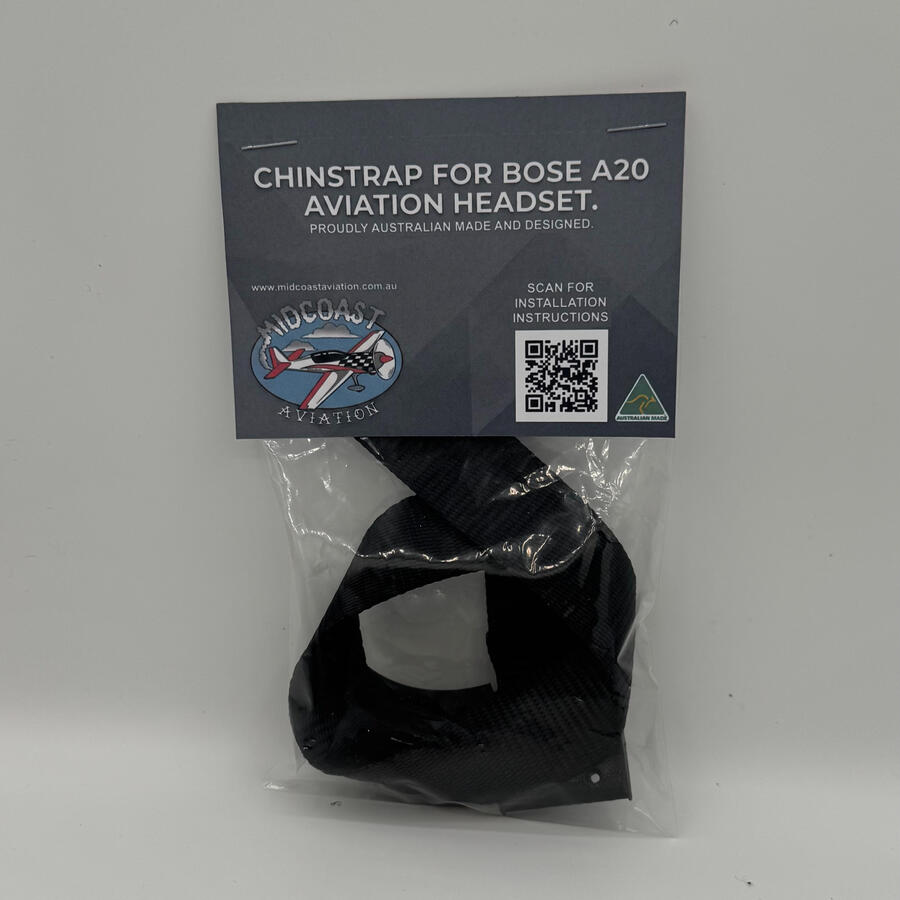
Chin Strap for Bose A20
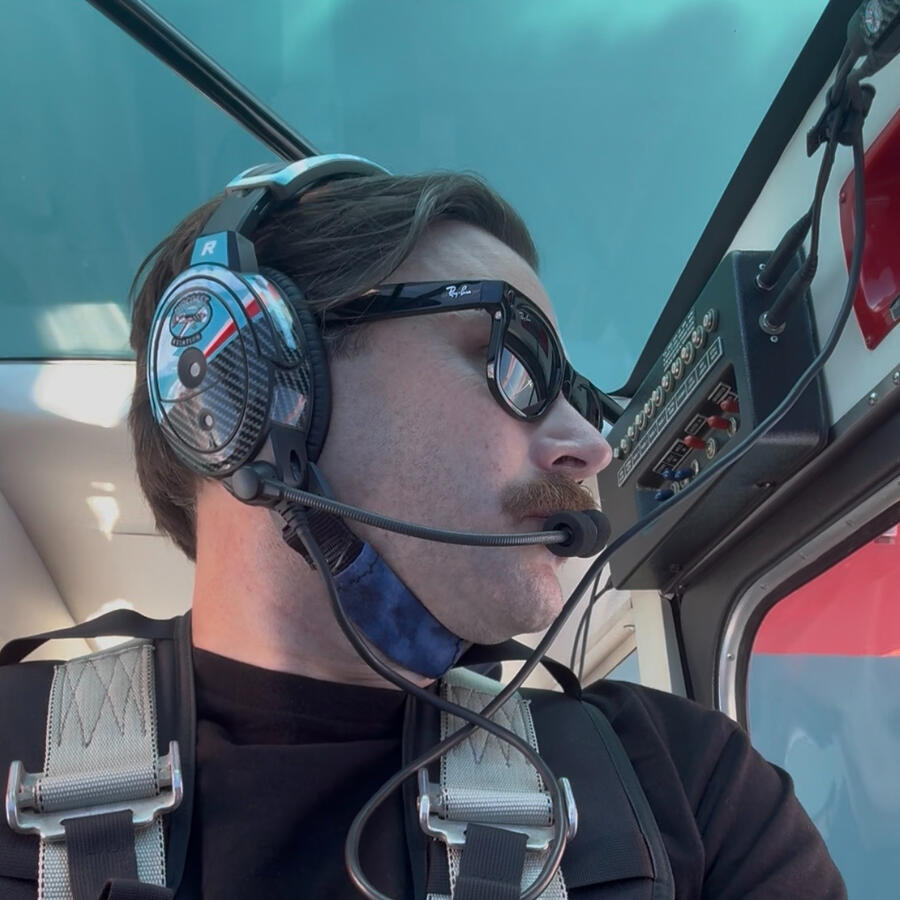
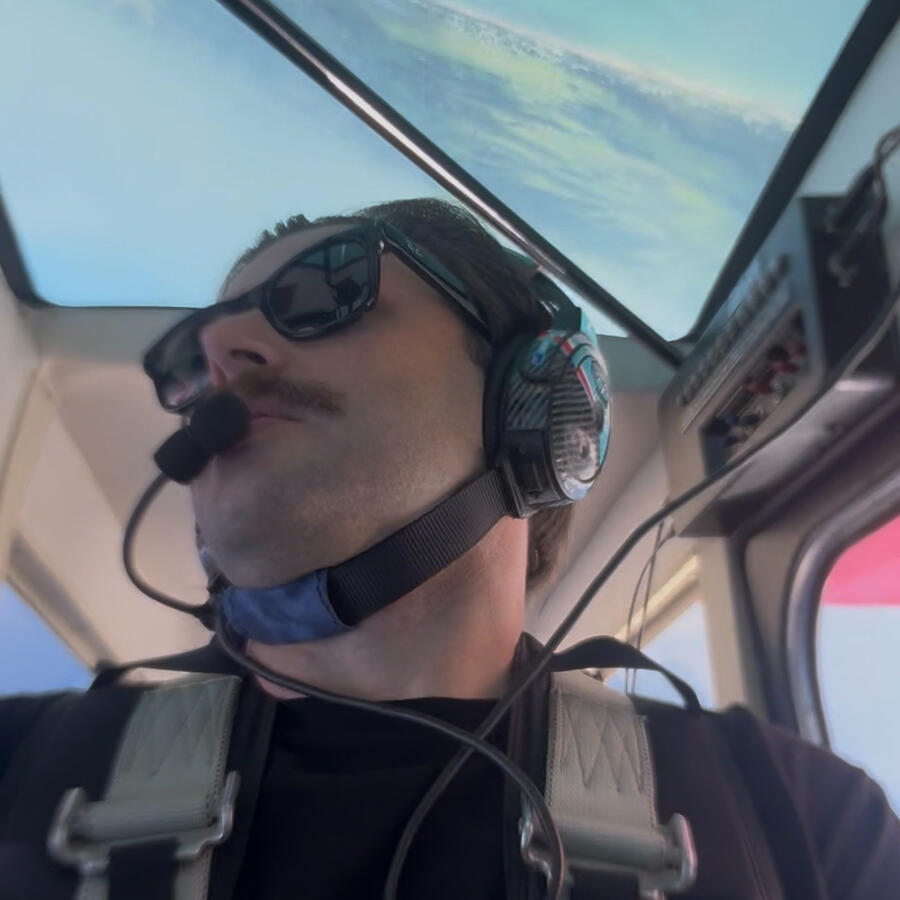
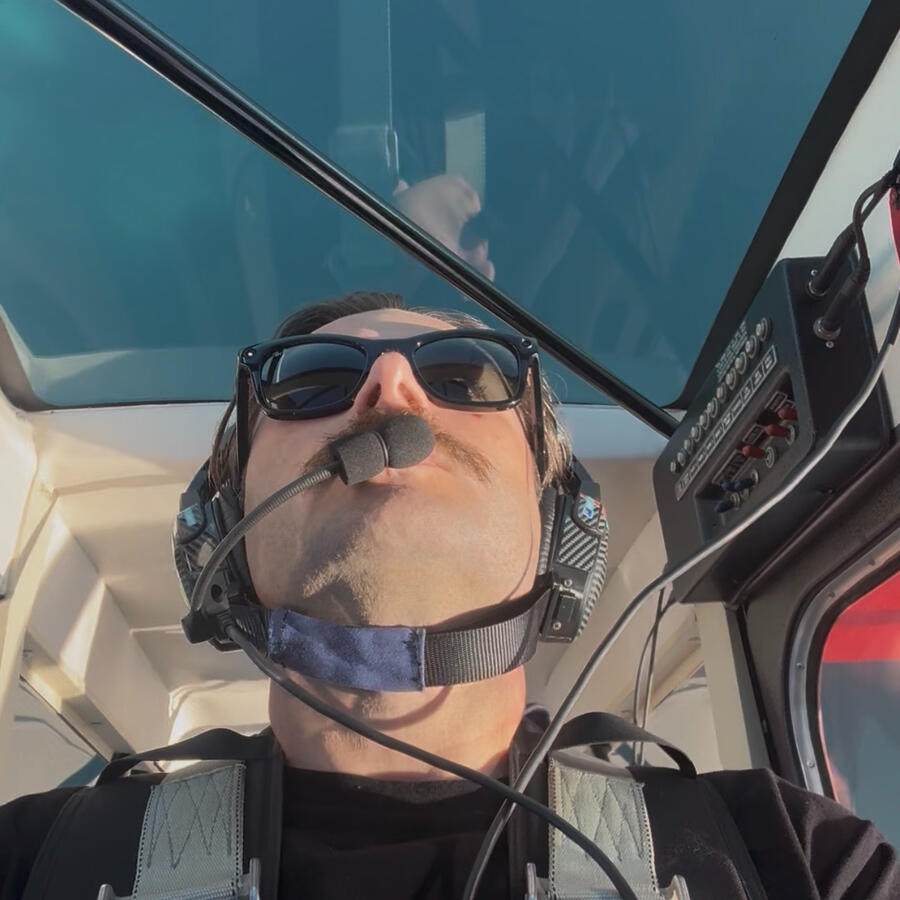
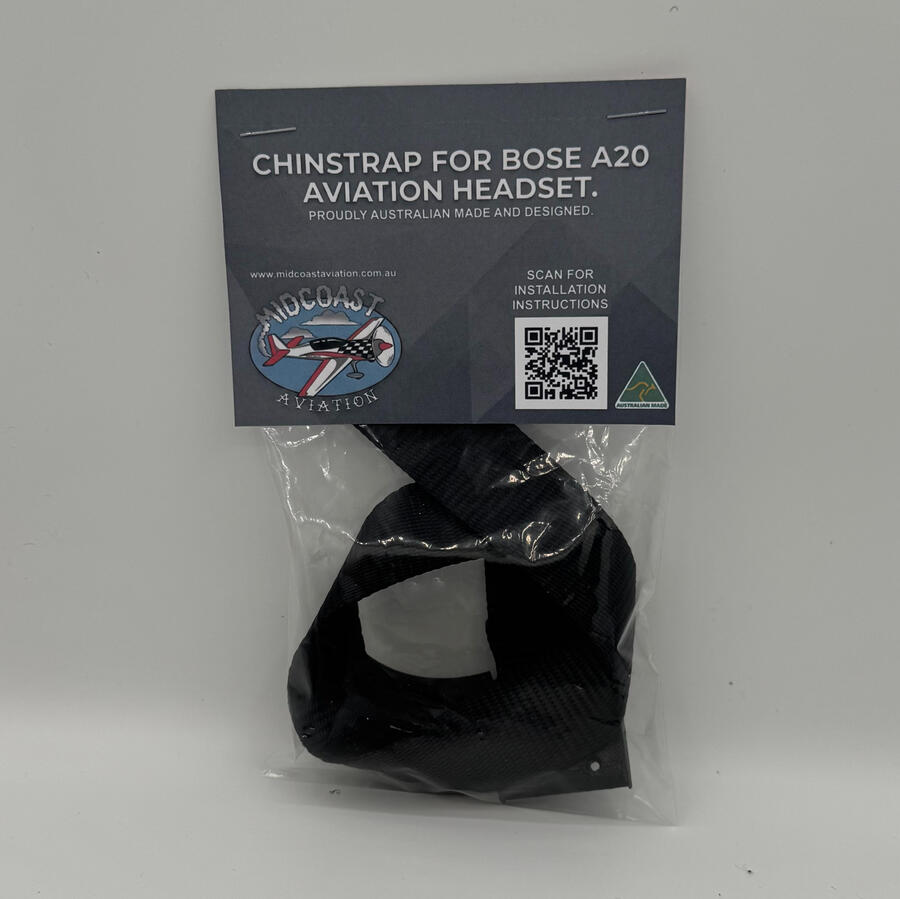
$39 AUD
-Free Australian shipping via AusPost Economy (Untracked).
Engineered for pilots who demand absolute reliability without compromising on comfort. Every single strap is hand-crafted in South Australia using premium, locally sourced materials.
Designed to withstand the demands of aerobatic flight, our chin straps have been rigorously tested in both positive and negative G environments to ensure a secure, unyielding fit when it matters most.
Upgrade your headset with Australian-made quality built by a pilot, for pilots.
Chin Strap Installation Guide for Bose A20
Step 1. Use a Phillips screwdriver to remove the two screws on the side of the microphone assembly. Place them in the bag for safe keeping.
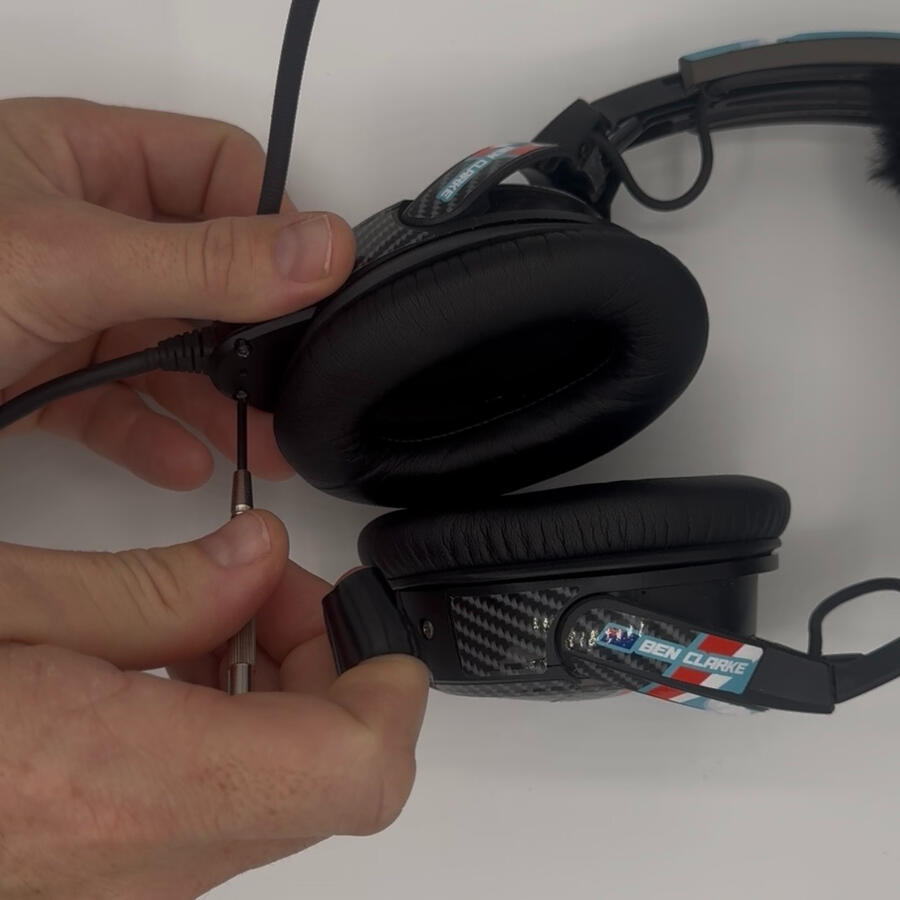
Step 2. Align the chin strap mount with the screw holes on the microphone assembly and secure with the 2 replacement screws supplied.
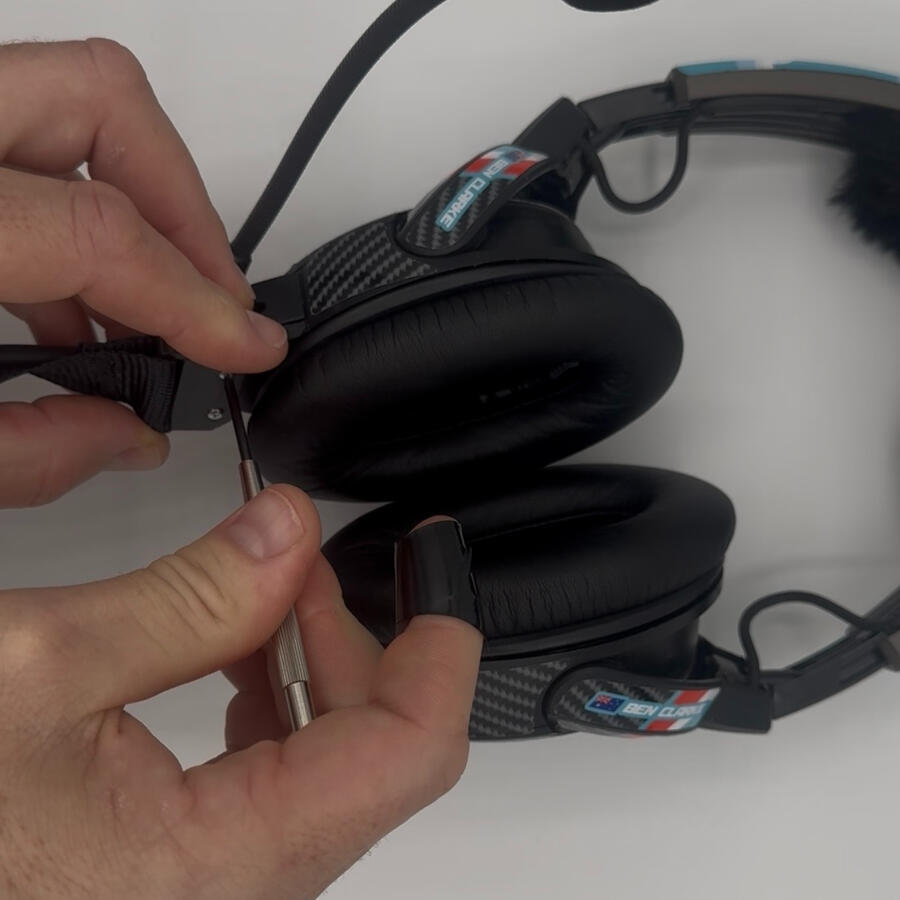
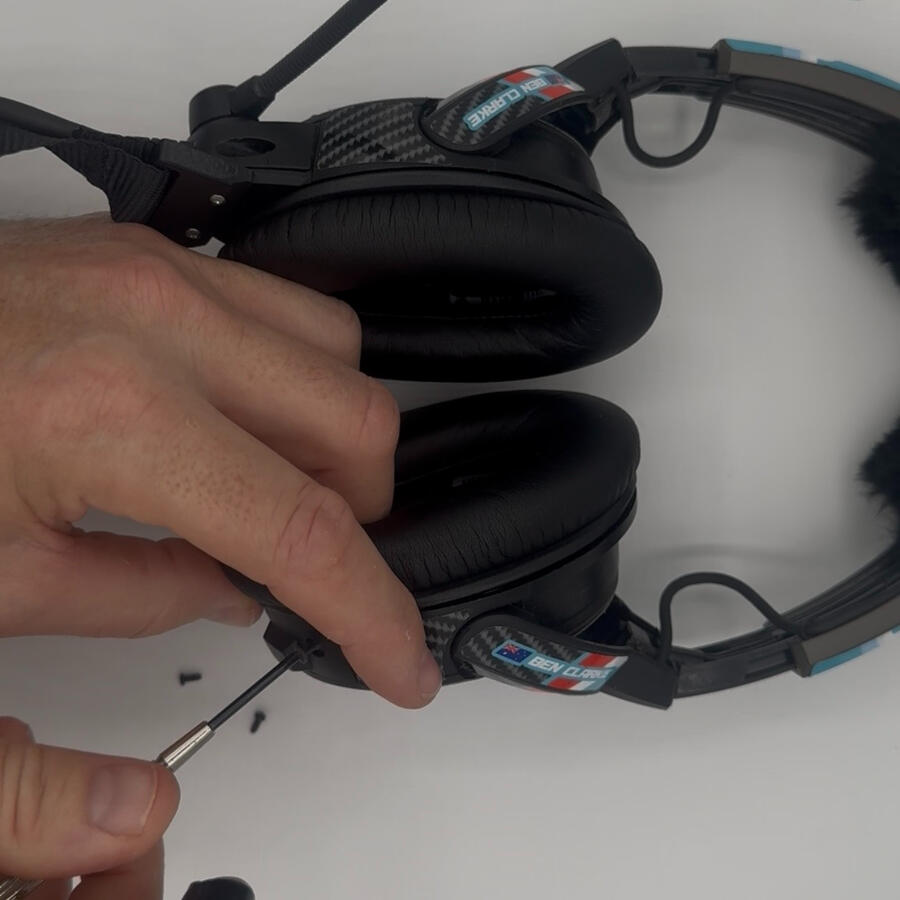
Step 3. Use a Phillips screwdriver to remove the two screws on the terminator cover near the bottom of the earcup on the opposite side. You may need to apply pressure from the underside of the screws as you undo them. Set them aside.
Remove the terminator cover to reveal the connector pins on the earcup.
Step 4. Carefully remove the connector socket from the terminator cover using gentle pressure. It is siliconed in and will come loose.
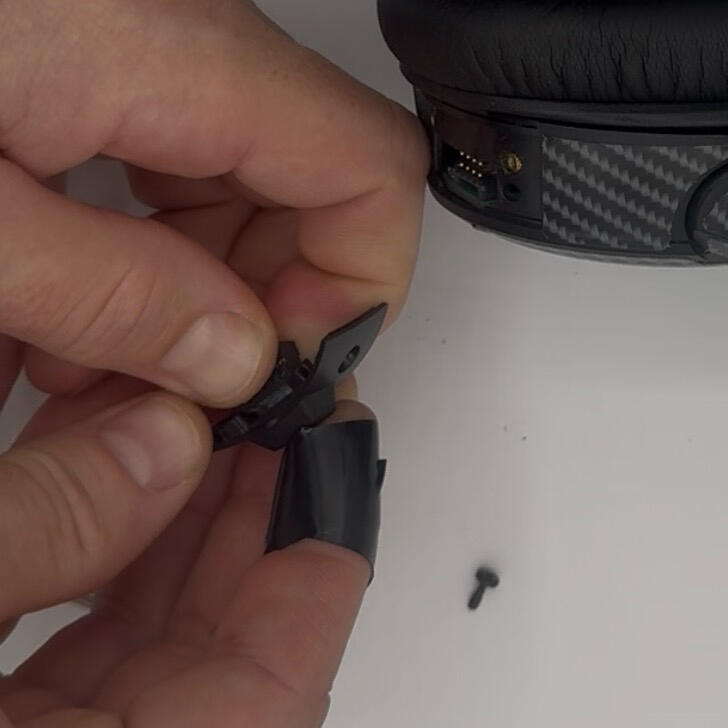
Step 5. Place the connector socket back on the exposed pins in the earcup. Take note of the locating tab direction
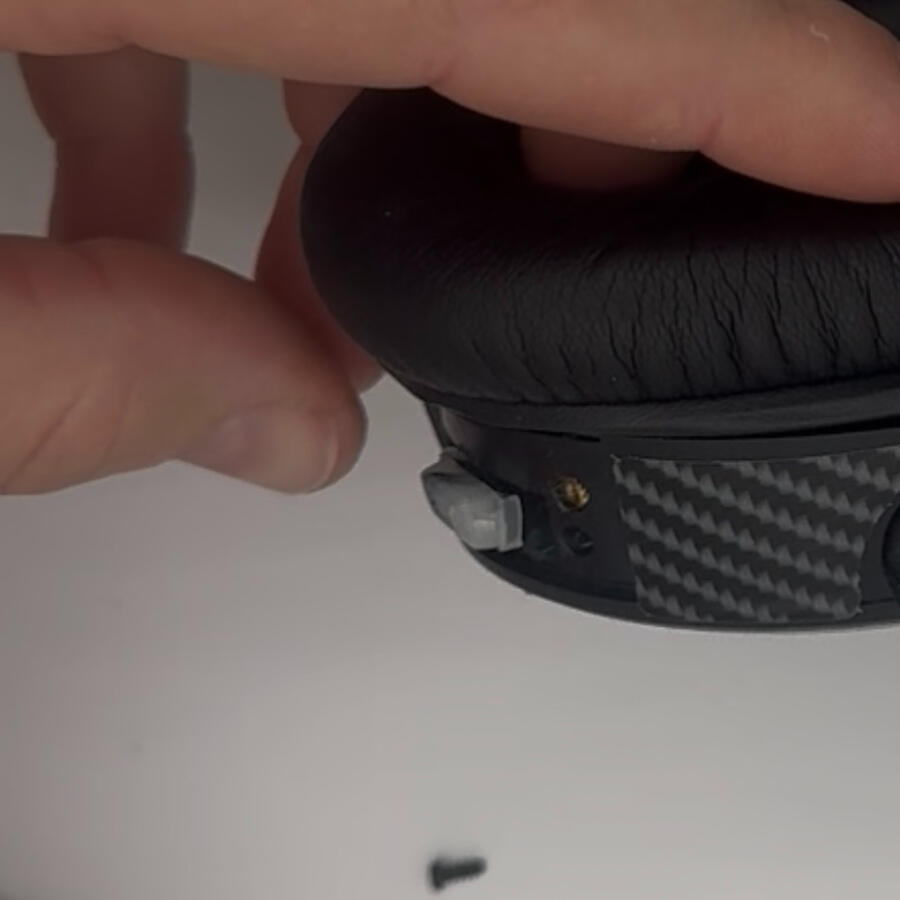
Step 6. Install the terminator cover screws in the terminator cover with chin strap buckle, and align with the screw holes on the earcup. Tighten the screws to secure the assembly.
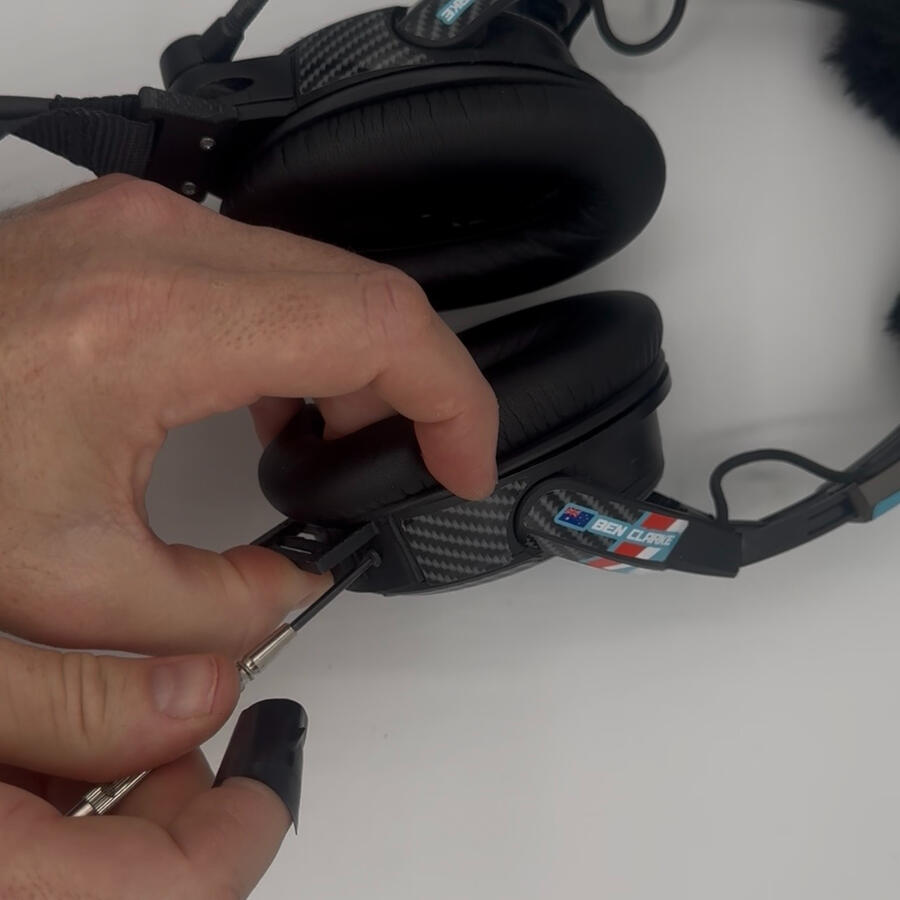
Step 7. Thread the chin strap through the closest slot to the earcup from the inside out, then back through the furthest slot from the outside in.
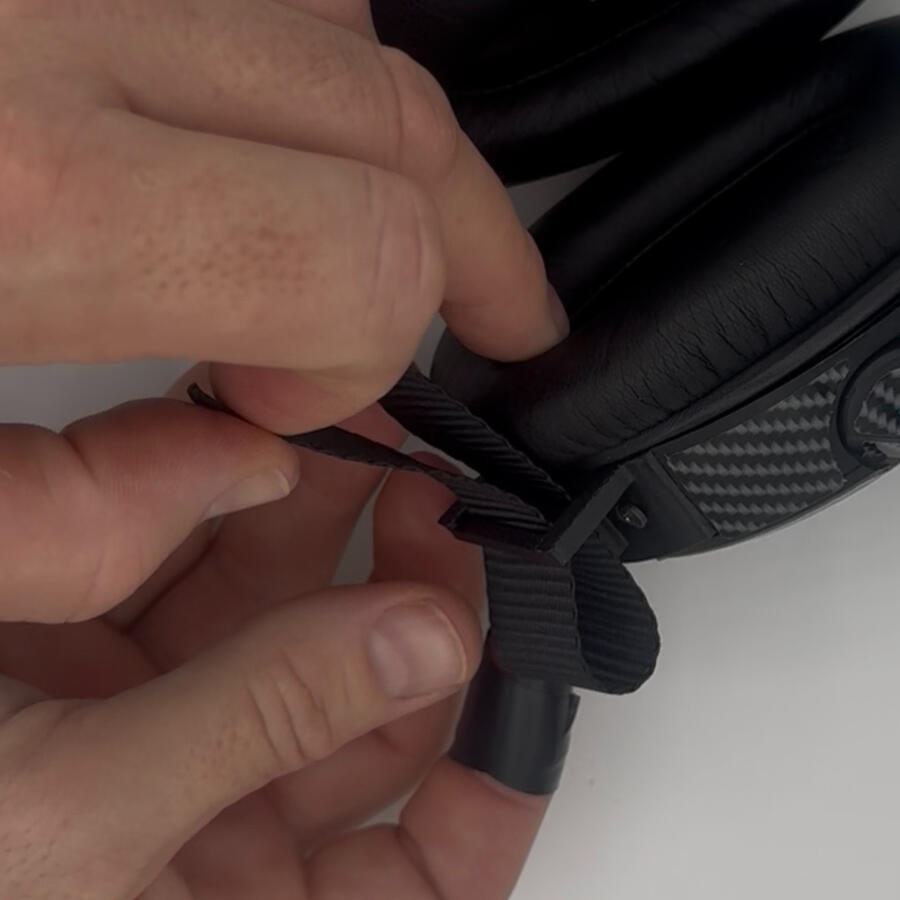
Step 8. Place headset on head and tighten strap by gently pulling on the tail. Tuck the tail into the chin strap band.
Headset decals for Bose A20
Starting from $59 AUD
-Free Australian shipping via AusPost Economy (Untracked).
-All decals are made-to-order in South Australia. Please allow 2-3 days for production.
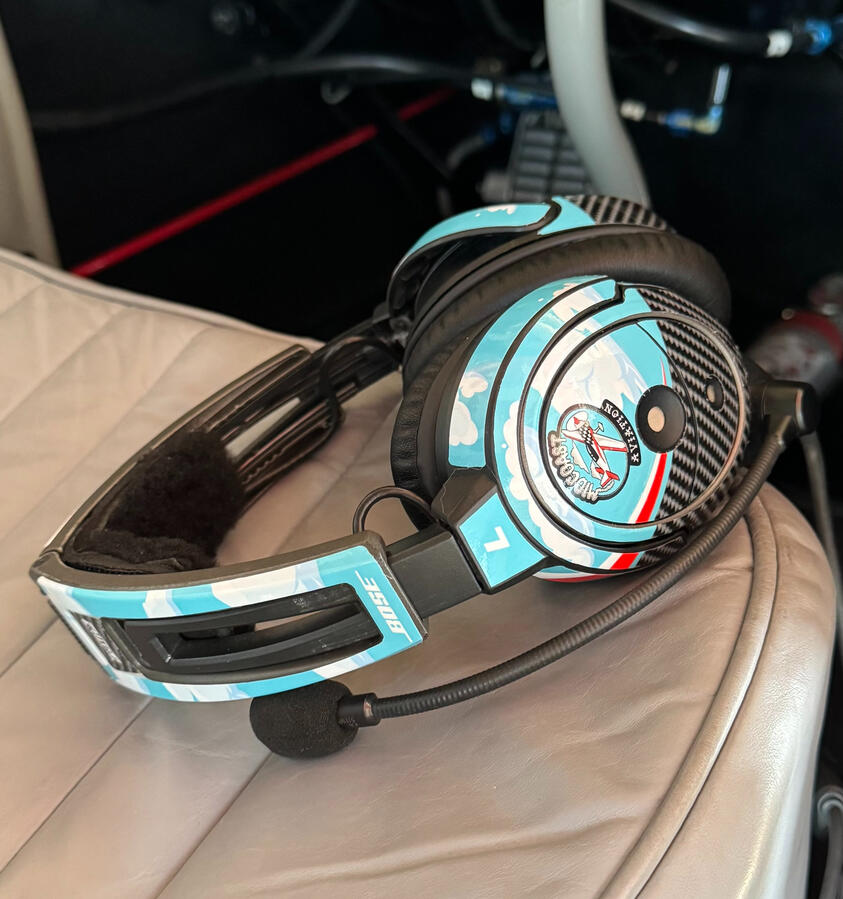
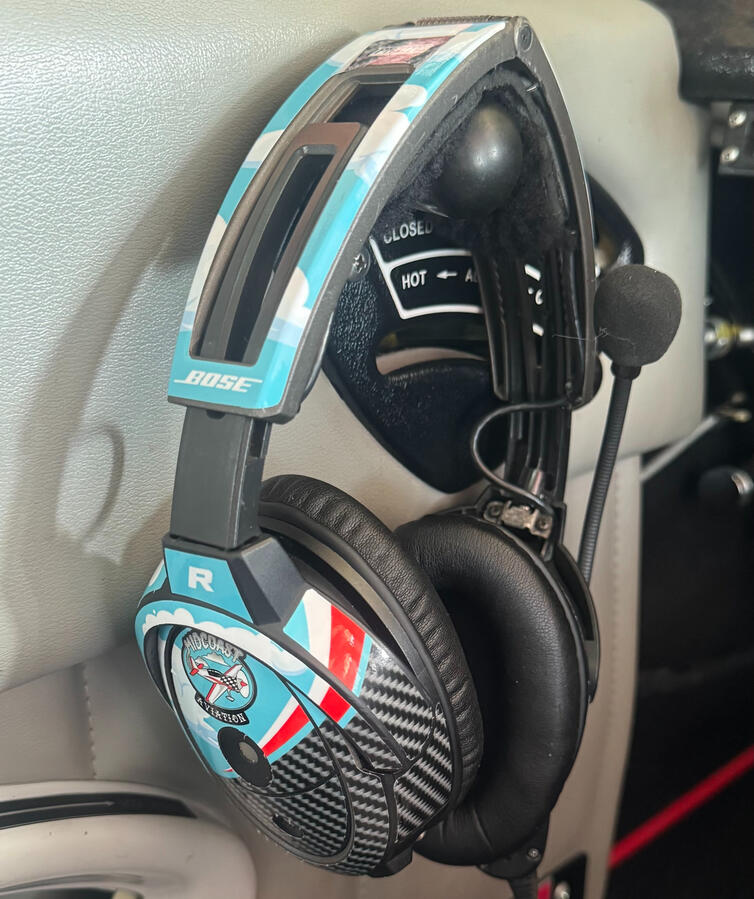
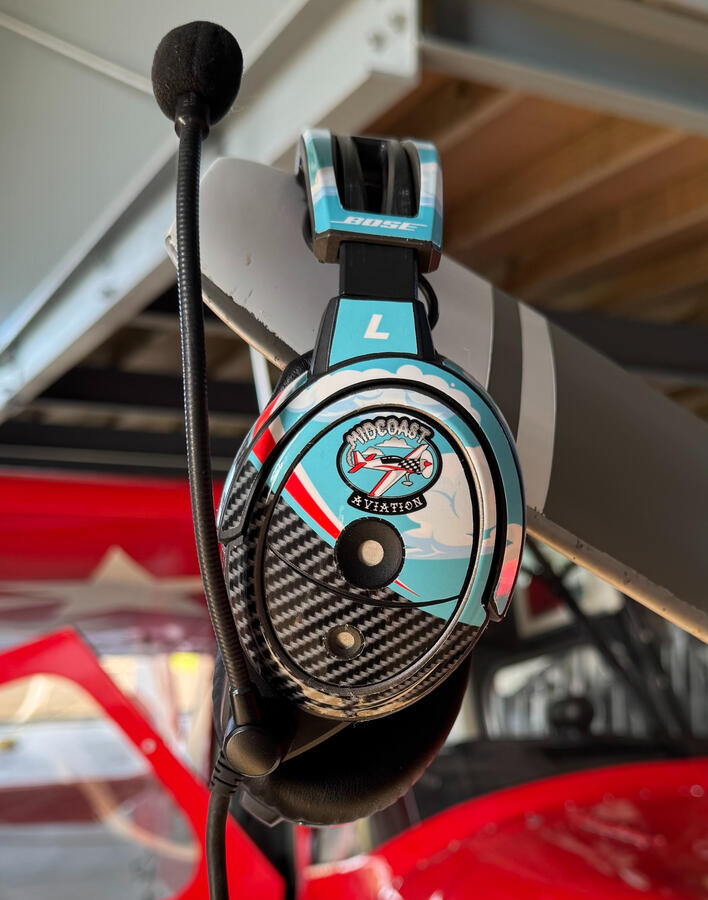
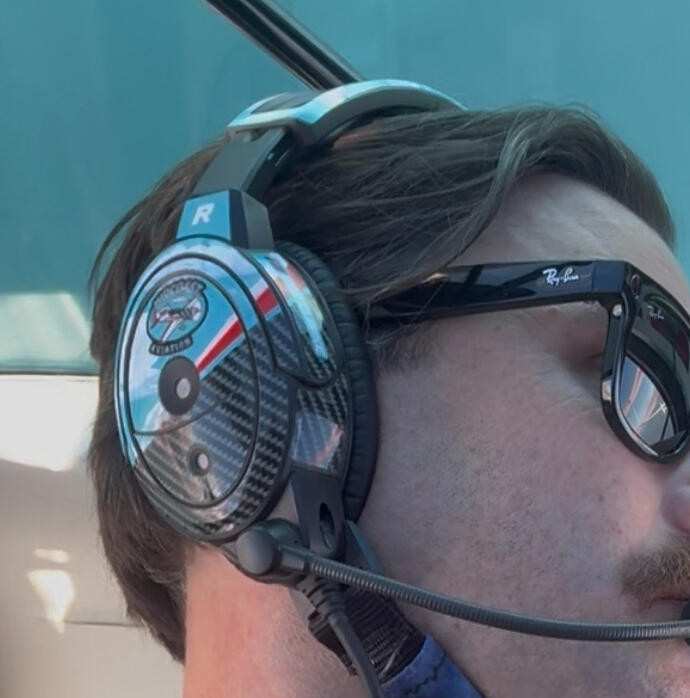
Your Bose A20s are a serious piece of aviation gear. Protect that investment from cockpit scratches, UV exposure, and daily wear with a premium vinyl skin. Precision-cut to fit the exact contours of the A20 flawlessly, these decals bridge the gap between heavy-duty protection and ultimate personalisation. Launch the Design Studio to build your own 1-of-1 layout, grab a flight-ready pre-made template to instantly upgrade your headset, or reach out to have us design something for you.
$69 AUD
Build your own layout in our custom engine. (Not mobile compatible)
Highly recommended for first time users to understand all aspects of the studio.
Coming soon
$59 AUD
Browse our hangar of pre-made, flight-ready designs.
Custom Quote
Want a custom fleet logo or something specific? We'll design it for you.
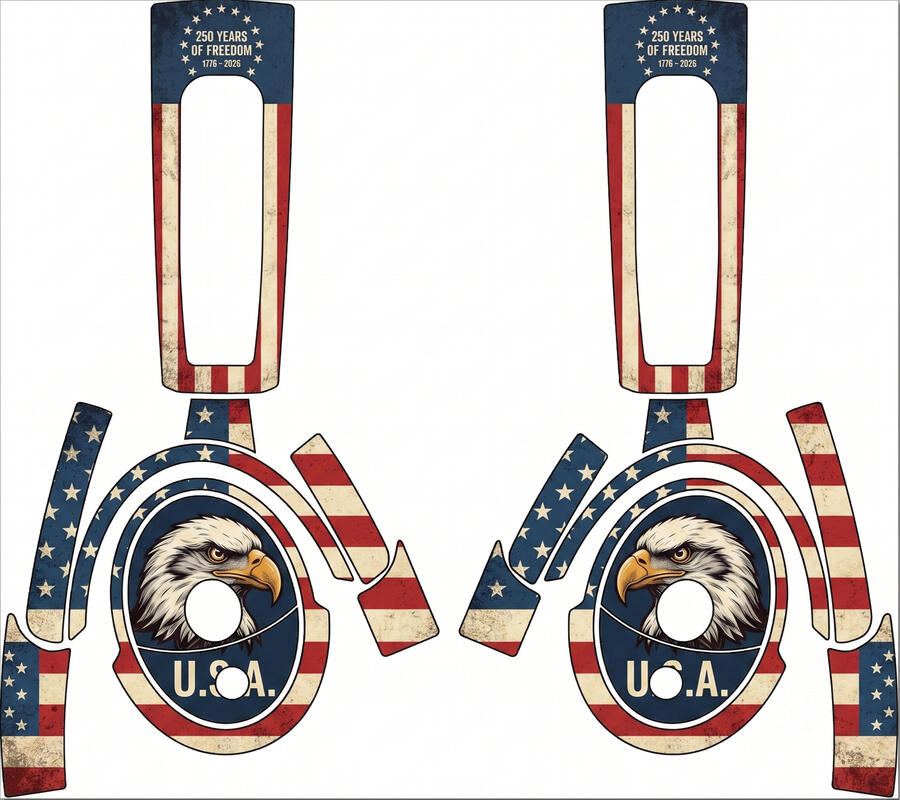
FREEDOM 250s
Celebrate 250 years of freedom with this American design. USA!
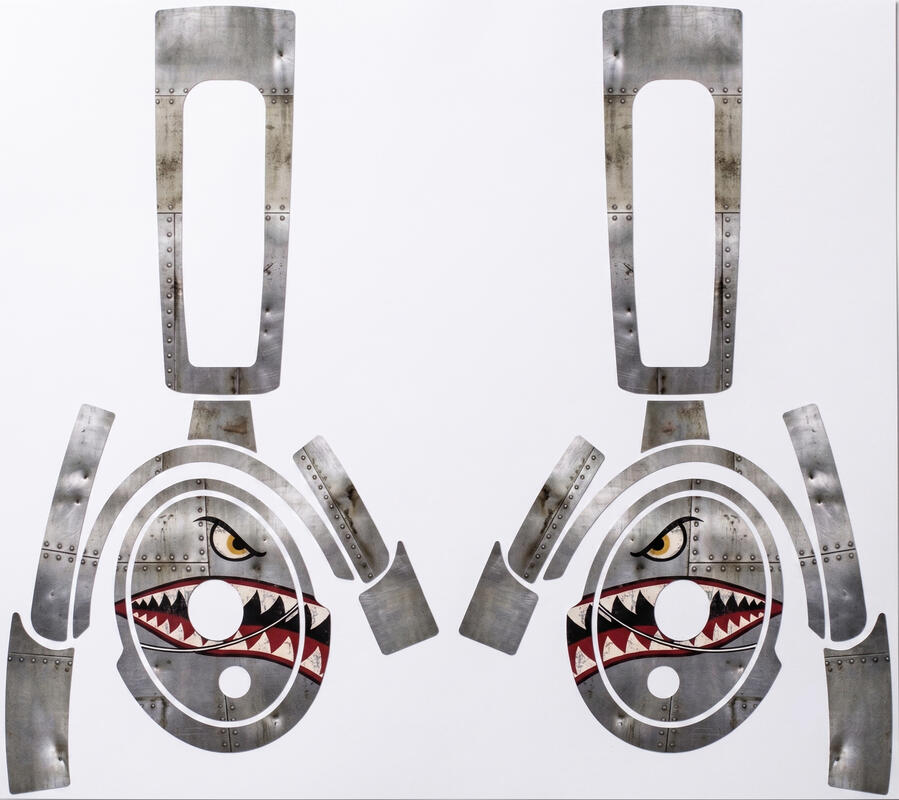
SPITFIRES
Bring some aggression to your cockpit with this classic spitfire inspired design

Back Countries
Drop these on your head as you drop your cub onto a secluded strip
More Templates coming, stay tuned.
Design Studio user guide
Proceed to design studio
(Not mobile compatible)
The Pilot Briefing: Essential Flight Data, Instantly.
Designed specifically for Australian aviators, The Pilot Briefing eliminates the friction of pre-flight preparation. Instead of navigating complex websites or combing over dense raw text, get complete, official aerodrome conditions and operational status delivered instantly to your screen.
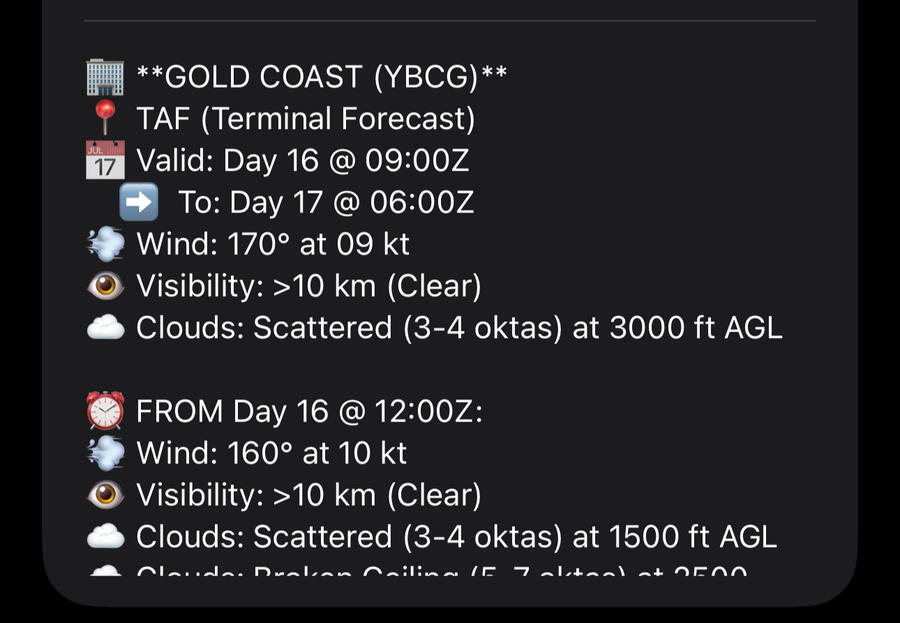
Instant Weather & Forecasts: Access live METAR observations, TAF terminal forecasts, and ATIS reports translated into clear, structured text alongside the raw data.
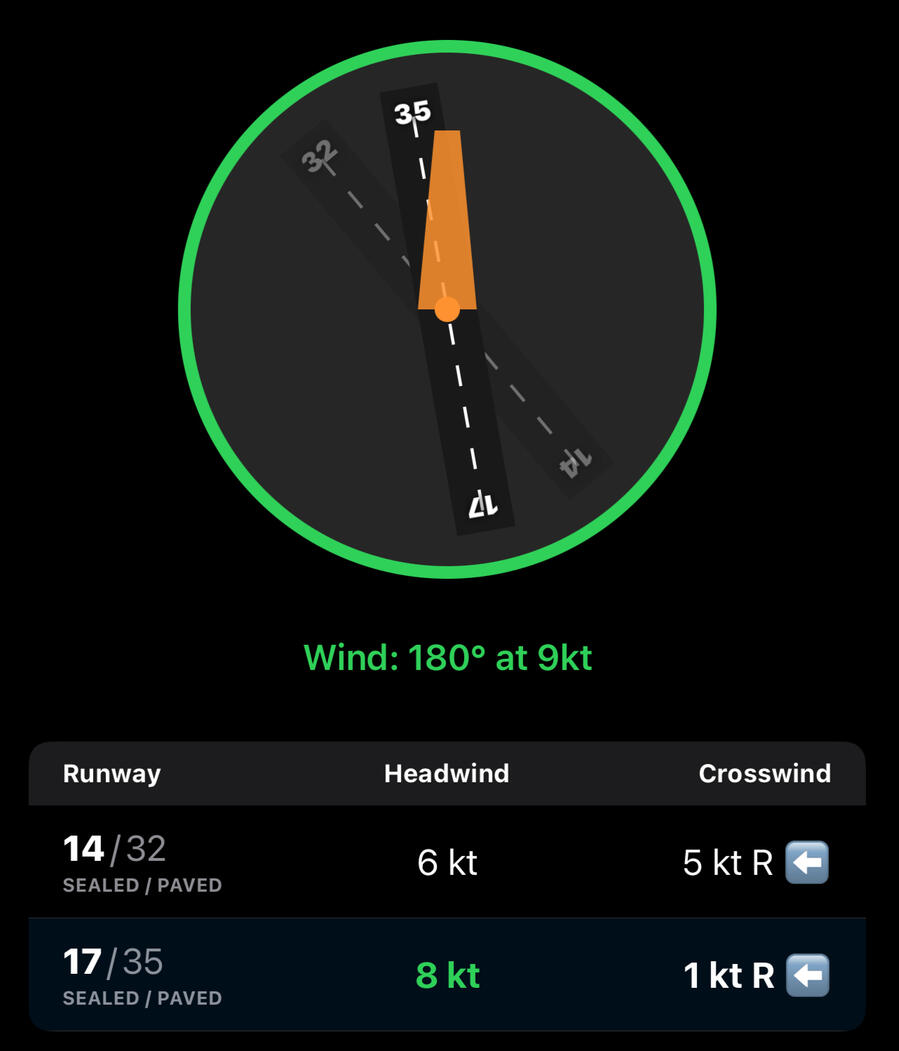
Intelligent Runway & Wind Calculation: The app calculates live headwind and crosswind components across every runway at your target aerodrome and automatically highlights the most favorable active runway.
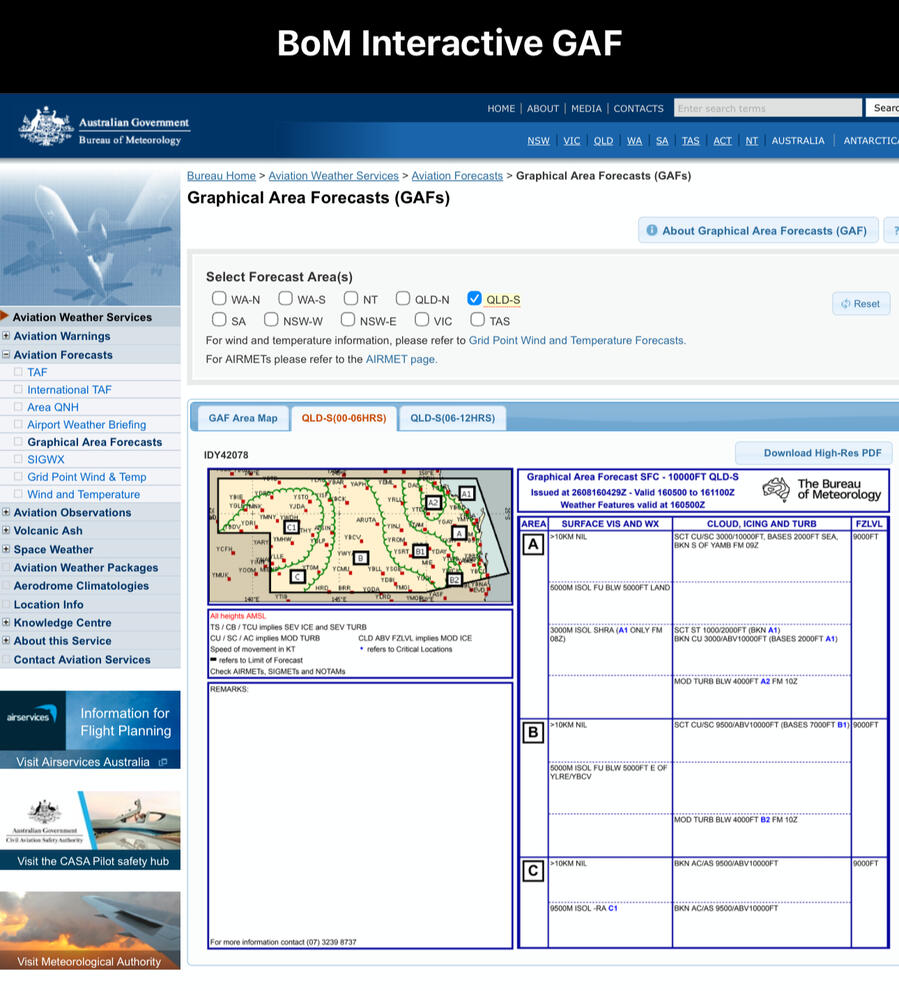
Integrated Visual Weather: View the live Bureau of Meteorology Graphic Area Forecast (GAF) directly in the app.
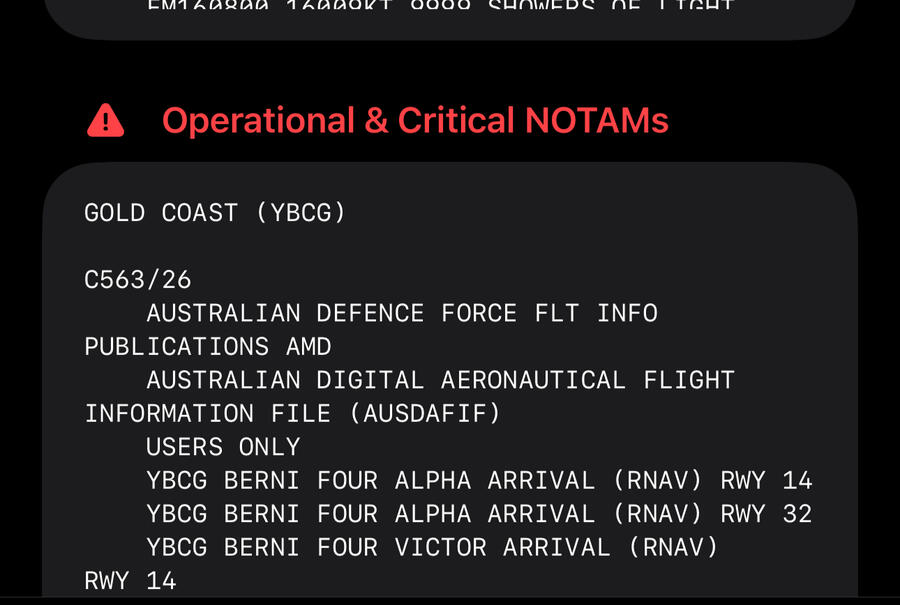
Smart NOTAM Categorization: Operational hazards and runway closures are separated from routine obstacle notices, ensuring critical safety items are immediately visible.
Home & Lock Screen Widgets: Check live wind vectors, flight categories (VFR/MVFR/IFR), cloud ceilings, and barometric pressure at a glance without opening the app.
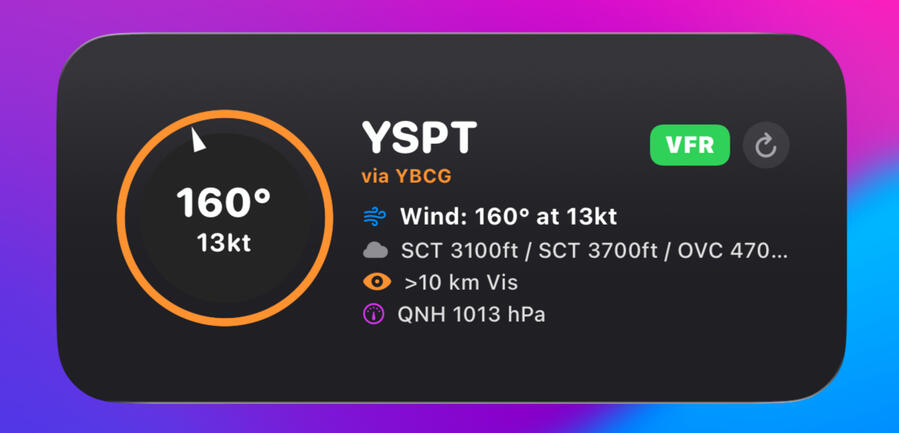
Hands-Free Siri Integration: Simply say, "Hey Siri, give me the Pilot Briefing," to have current weather, winds, and altimeter settings read aloud while you pre-flight.
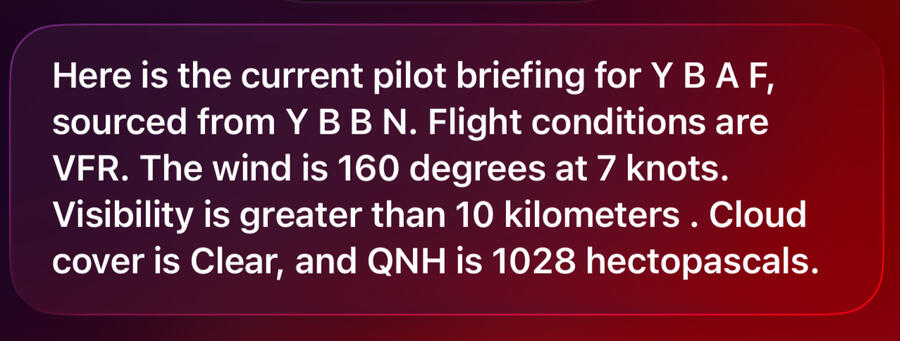
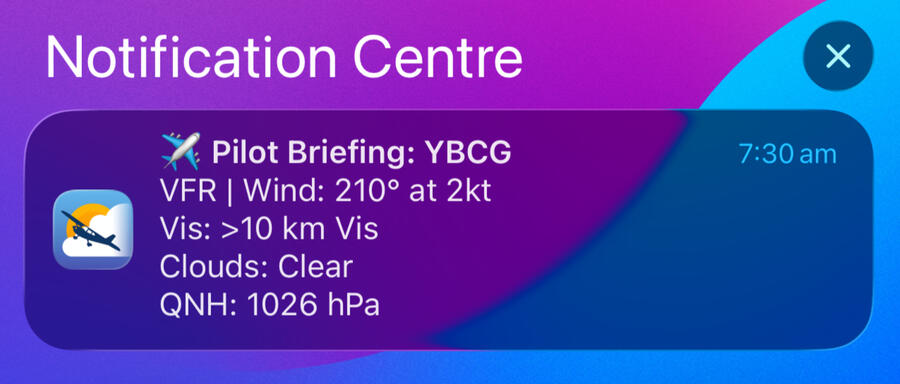
Automated Daily Alerts: Schedule recurring morning briefing notifications with rich summaries delivered straight to your lock screen before you head out.
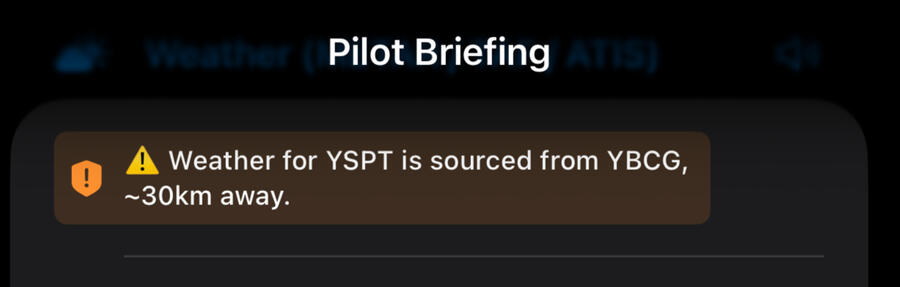
Smart Weather Fallbacks: Flying into an unmonitored strip? The app identifies and displays data from the nearest official weather station with exact distance offsets.
Pricing & Availability:Access to the app is $1 per month, billed at $12 annually.The first 250 pilots to join unlock Wingman Status.Once the initial 250 slots are filled, regular access moves to the Co-Pilot Status.Cross-Platform Development: Currently launching first on iOS, with an Android version actively in development to follow shortly.
Privacy Policy for Pilot Briefing
Effective Date: August 24, 2026MIDCOAST CO PTY LTD ("we," "our," or "us") operates the Pilot Briefing mobile application. This Privacy Policy informs you of our policies regarding the collection, use, and disclosure of personal data when you use our application.1. Information Collection and Use
We respect your privacy and are committed to protecting it. Pilot Briefing does not collect, store, track, or share any personal user data.Aviation & Weather Data: The app fetches public aviation weather data (such as METARs, TAFs, and NOTAMs) necessary for flight planning. This data is pulled dynamically and is not saved or tracked by us.Subscriptions and Payments: All in-app purchases and subscriptions are handled securely and directly through Apple’s App Store. We do not receive, process, or store your credit card or financial information; all transaction data is managed entirely by Apple in accordance with their privacy policy.2. Communications and Support
If you contact us directly for support or feedback (e.g., via email), we will only use your email address and message contents to respond to your inquiry. We do not use your contact information for marketing purposes, nor do we sell or distribute it to any third parties.3. Data Security
Because we do not collect or store personal user information on external servers, your personal data remains secure.4. Changes to This Privacy Policy
We may update our Privacy Policy from time to time. Any changes will be posted on this page with an updated effective date. You are advised to review this Privacy Policy periodically for any changes.5. Contact Us
If you have any questions about this Privacy Policy, you can contact us:By email: [email protected]